mirror of
https://github.com/kristoferssolo/solorice.git
synced 2025-10-21 20:10:34 +00:00

259 lines
8.4 KiB
Markdown
259 lines
8.4 KiB
Markdown
# [One Dark Pro](https://marketplace.visualstudio.com/items?itemName=zhuangtongfa.Material-theme)
|
|
|
|
## [GitHub Repo](https://github.com/Binaryify/OneDark-Pro)
|
|
|
|
Atom's iconic One Dark theme, and one of the most installed [themes](https://marketplace.visualstudio.com/search?target=VSCode&category=Themes&sortBy=Installs) for VS Code!
|
|
|
|
|
|
|
|
[](https://vscode.dev/theme/zhuangtongfa.Material-theme) [](https://marketplace.visualstudio.com/items?itemName=zhuangtongfa.Material-theme) [](https://marketplace.visualstudio.com/items?itemName=zhuangtongfa.Material-theme)
|
|
|
|
## SPONSORS
|
|
|
|
[](https://bloop.ai/?utm_source=vscmarket&utm_campaign=onedarkpro&utm_medium=banner)
|
|
|
|
Bored of trawling through the docs? Get JS and TS code examples from documentation and Open Source right in your IDE
|
|
[Learn more](https://bloop.ai/?utm_source=vscmarket&utm_campaign=onedarkpro&utm_medium=banner).
|
|
<br><br>
|
|
|
|
[](https://sponsorlink.codestream.com/?utm_source=vscmarket&utm_campaign=onedarkpro&utm_medium=banner)
|
|
|
|
Eliminate context switching and costly distractions. Create and merge PRs and perform code reviews from inside your IDE while using jump-to-definition, your keybindings, and other IDE favorites.
|
|
[Learn more](https://sponsorlink.codestream.com/?utm_source=vscmarket&utm_campaign=onedarkpro&utm_medium=banner).
|
|
|
|
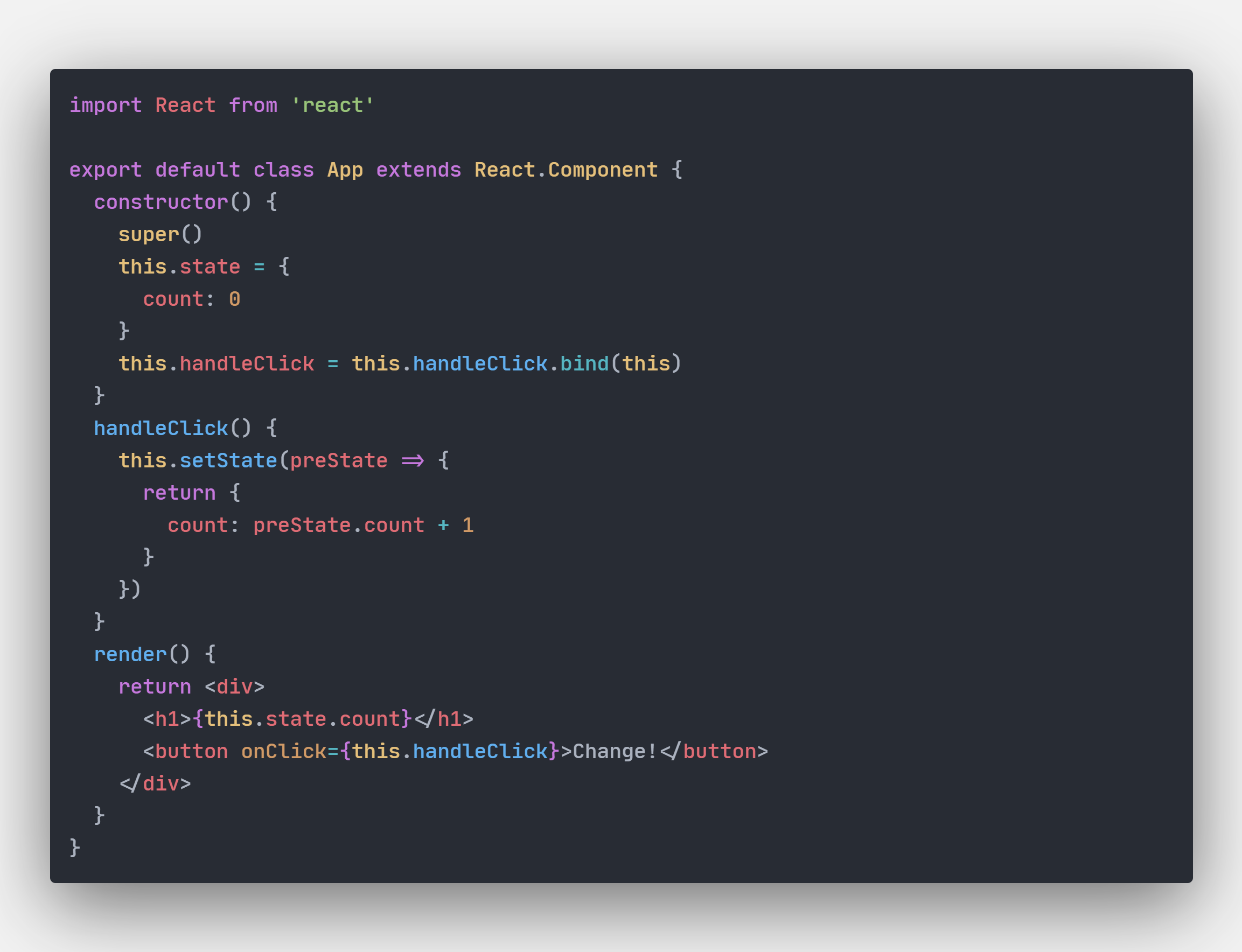
## SCREENSHOT
|
|
|
|
|
|
|
|
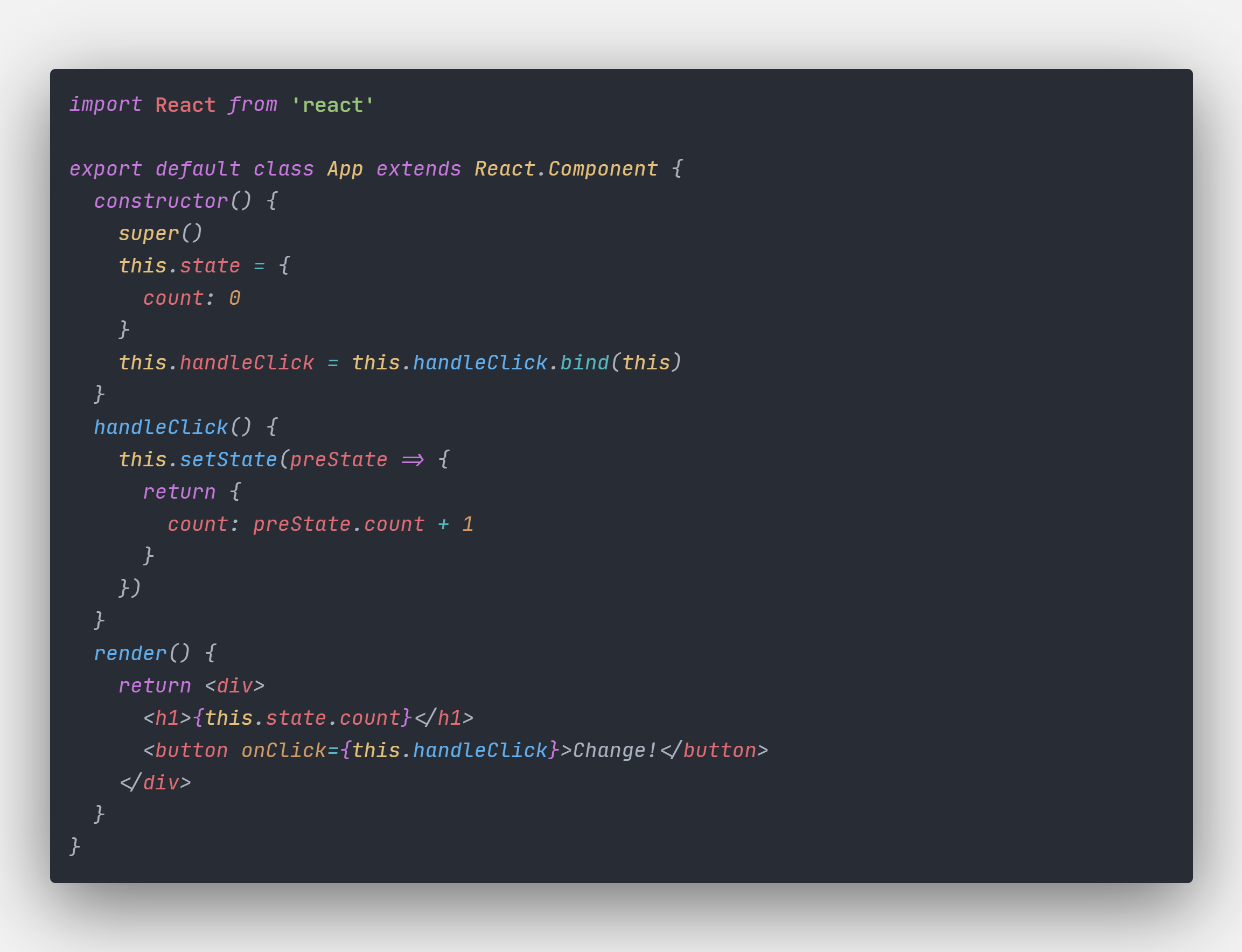
### Italic
|
|
|
|
|
|
|
|
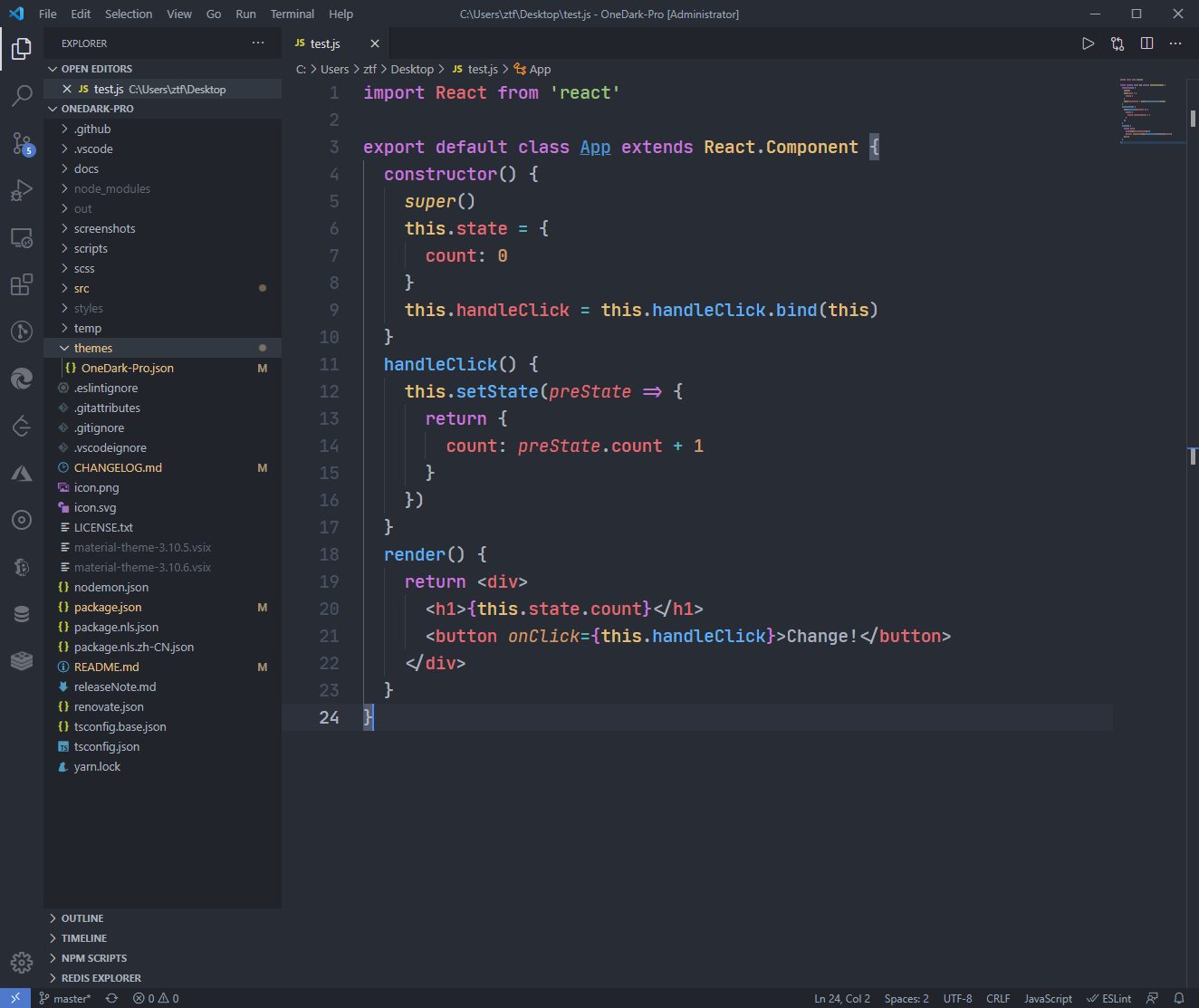
### Default theme
|
|
|
|
|
|
|
|
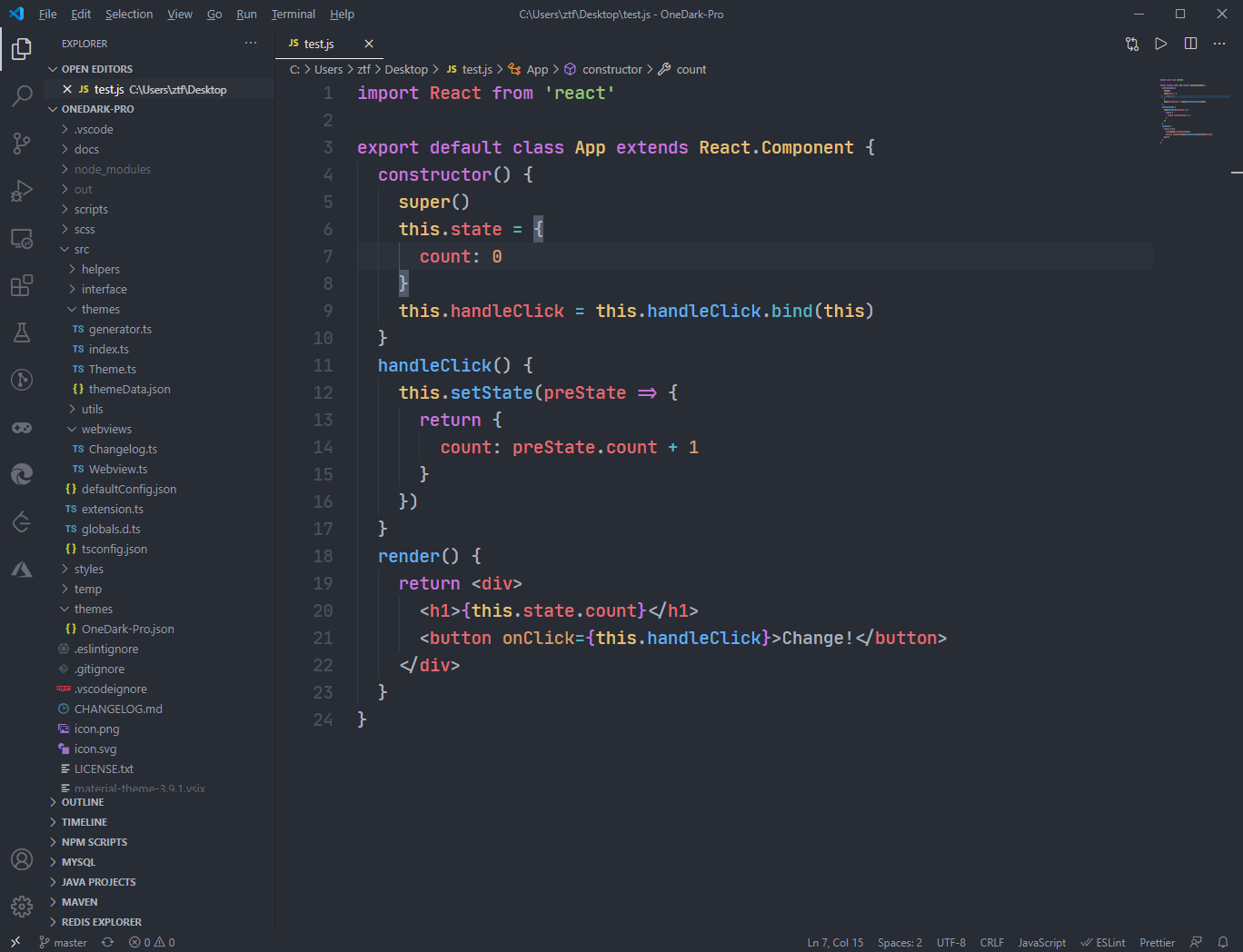
### Flat theme
|
|
|
|
|
|
|
|
### Darker theme
|
|
|
|

|
|
|
|
### Retro theme
|
|
|
|

|
|
|
|
### Gnome theme
|
|
|
|

|
|
|
|
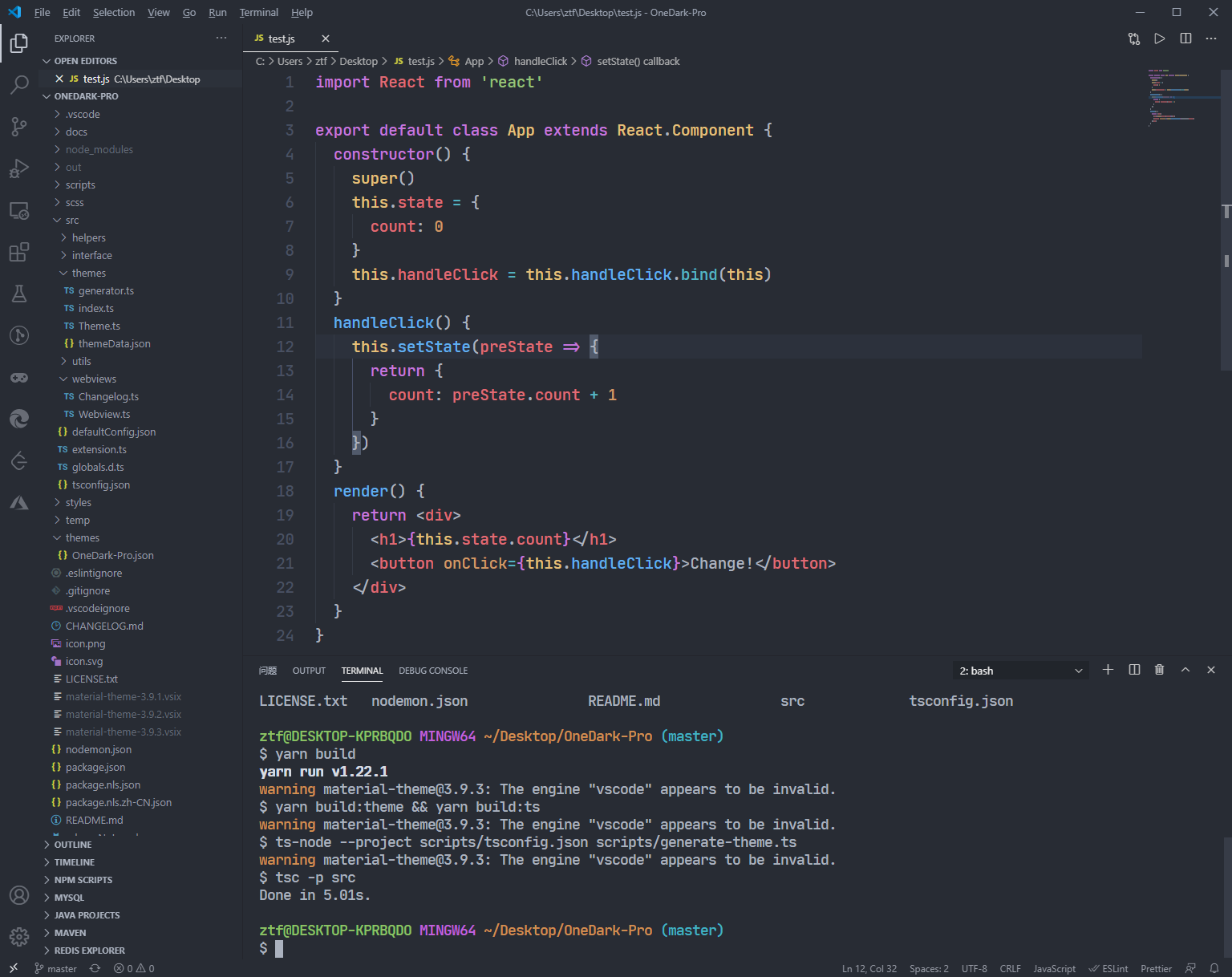
### Terminal
|
|
|
|
|
|
|
|
|
|
## Donation
|
|
|
|
If you like this extension, you could donate via **[PayPal](https://www.paypal.me/binaryify)**, or scan below QR code to donate via **WeChatPay**. Any amount is welcome. It will encourage me to make this extension better and better!
|
|

|
|
|
|
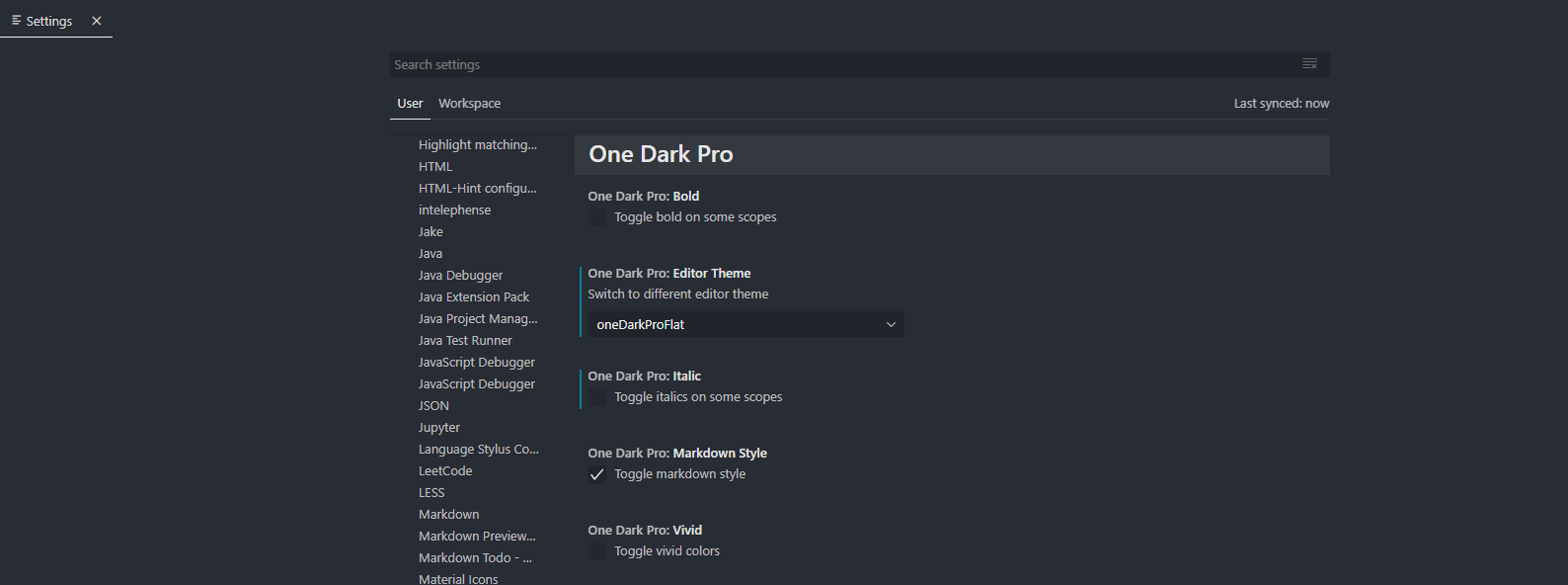
### Setting
|
|
|
|
|
|
|
|
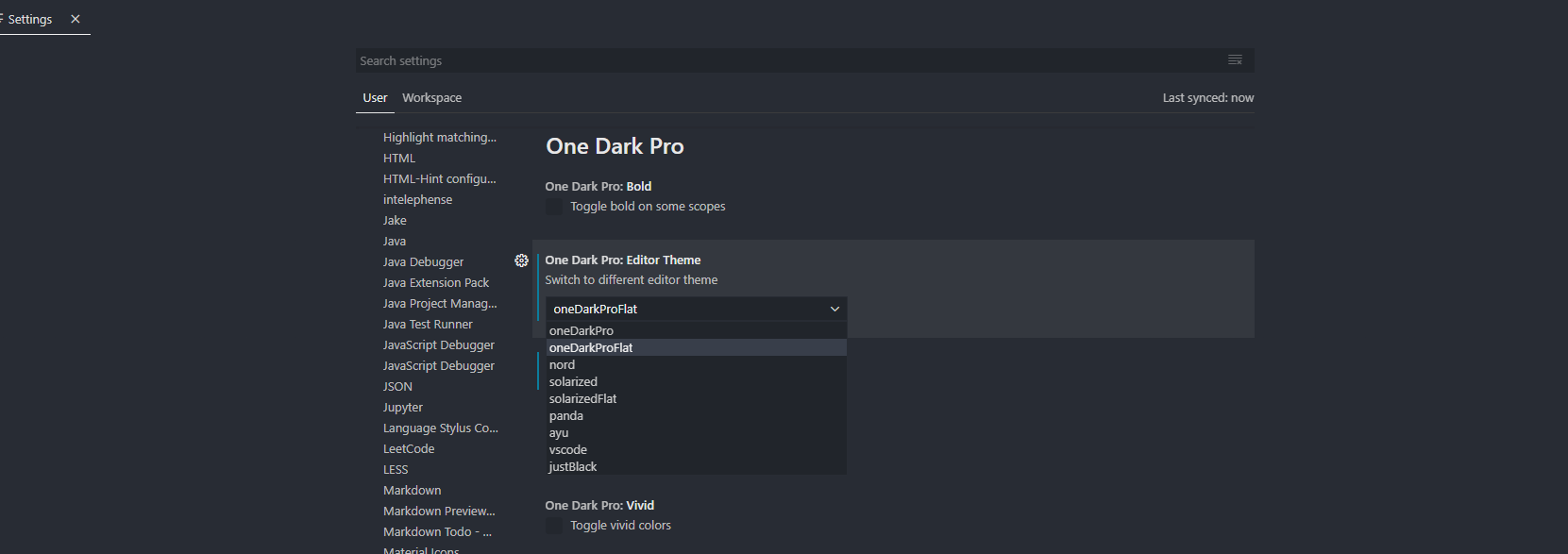
### Built in themes
|
|
|
|
|
|
|
|
### Notice
|
|
|
|
Setting only support default theme(One Dark Pro).
|
|
|
|
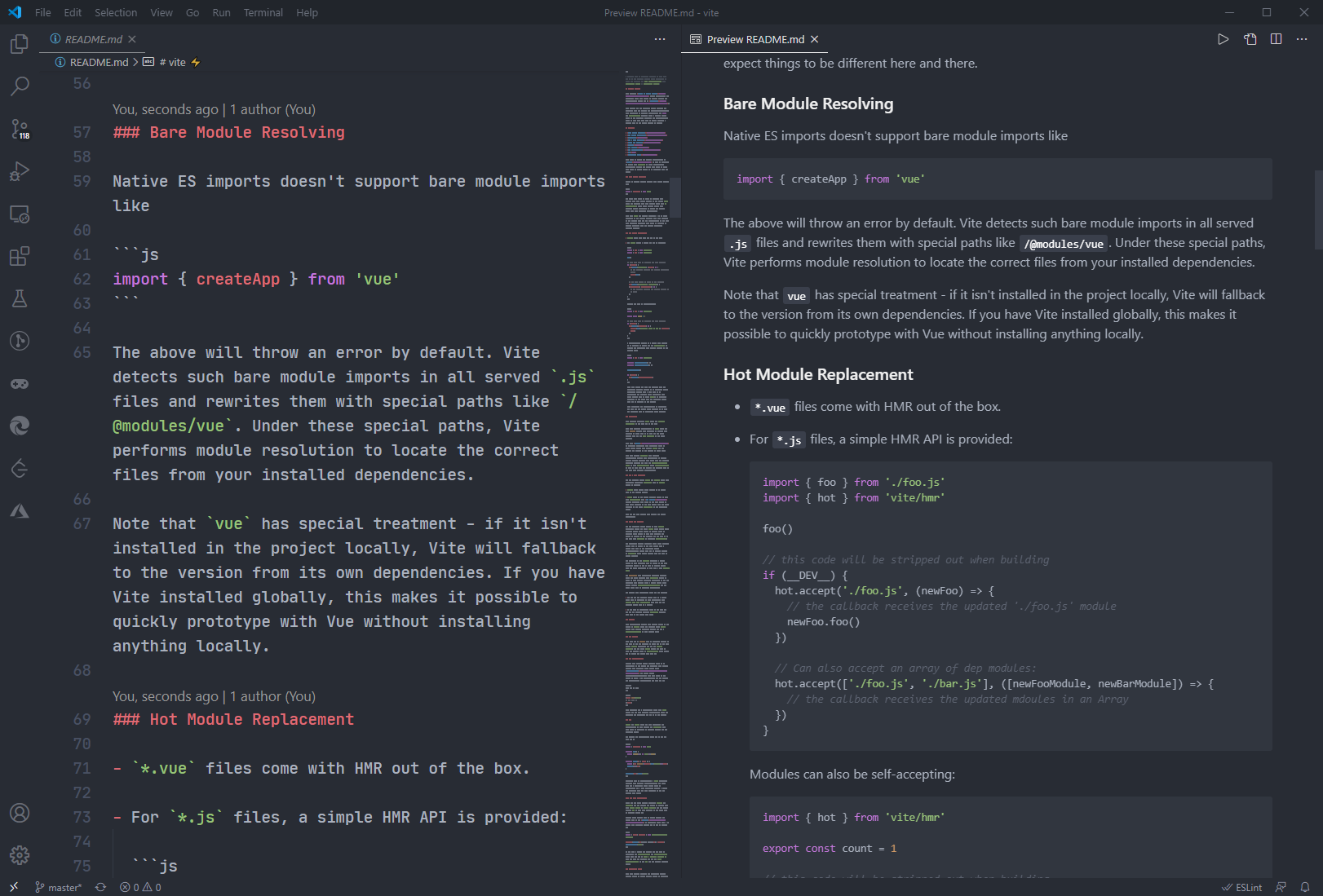
## Markdown preview style
|
|
|
|
|
|
You can toggle whether to use markdown style in vscode setting (default use)
|
|
|
|
|
|
### Suggest Editor Settings
|
|
```
|
|
"editor.fontSize": 20,
|
|
"editor.lineHeight": 30,
|
|
"editor.fontFamily": "JetBrains Mono",
|
|
```
|
|
JetBrains Mono Download: https://www.jetbrains.com/lp/mono
|
|
|
|
### Tweaks & theming
|
|
|
|
If you want to play around with new colors, use the setting
|
|
`workbench.colorCustomizations` to customize the currently selected theme. For
|
|
example, you can add this snippet in your "settings.json" file:
|
|
|
|
```json
|
|
"workbench.colorCustomizations": {
|
|
"tab.activeBackground": "#282c34",
|
|
"activityBar.background": "#282c34",
|
|
"sideBar.background": "#282c34",
|
|
"tab.activeBorder": "#d19a66",
|
|
}
|
|
```
|
|
|
|
or use the setting `editor.tokenColorCustomizations`
|
|
|
|
```json
|
|
"editor.tokenColorCustomizations": {
|
|
"[One Dark Pro]": {
|
|
"textMateRules": [
|
|
{
|
|
"scope": ["source.python"],
|
|
"settings": {
|
|
"foreground": "#e06c75"
|
|
}
|
|
}
|
|
]
|
|
}
|
|
}
|
|
```
|
|
|
|
#### Italic
|
|
|
|
You could set this in your setting.json to make code be italic
|
|
|
|
```json
|
|
"editor.tokenColorCustomizations": {
|
|
"textMateRules": [
|
|
{
|
|
"name": "italic font",
|
|
"scope": [
|
|
"comment",
|
|
"keyword",
|
|
"storage",
|
|
"keyword.control",
|
|
"keyword.control.from",
|
|
"keyword.control.flow",
|
|
"keyword.operator.new",
|
|
"keyword.control.import",
|
|
"keyword.control.export",
|
|
"keyword.control.default",
|
|
"keyword.control.trycatch",
|
|
"keyword.control.conditional",
|
|
"storage.type",
|
|
"storage.type.class",
|
|
"storage.modifier.tsx",
|
|
"storage.type.function",
|
|
"storage.modifier.async",
|
|
"variable.language",
|
|
"variable.language.this",
|
|
"variable.language.super",
|
|
"meta.class",
|
|
"meta.var.expr",
|
|
"constant.language.null",
|
|
"support.type.primitive",
|
|
"entity.name.method.js",
|
|
"entity.other.attribute-name",
|
|
"punctuation.definition.comment",
|
|
"text.html.basic entity.other.attribute-name",
|
|
"tag.decorator.js entity.name.tag.js",
|
|
"tag.decorator.js punctuation.definition.tag.js",
|
|
"source.js constant.other.object.key.js string.unquoted.label.js",
|
|
],
|
|
"settings": {
|
|
"fontStyle": "italic",
|
|
}
|
|
},
|
|
]
|
|
}
|
|
```
|
|
|
|
[more info](https://binaryify.github.io/OneDark-Pro)
|
|
|
|
## Python & Pylance users
|
|
Python users I recommend using [Pylance](https://marketplace.visualstudio.com/items?itemName=ms-python.vscode-pylance) extension for fast, feature-rich language support.
|
|
|
|
Semantic colors can be customized in settings.json by associating the Pylance semantic token types and modifiers with the desired colors.
|
|
|
|
- Semantic token types
|
|
|
|
- class, enum
|
|
- parameter, variable, property, enumMember
|
|
- function, member
|
|
- module
|
|
- intrinsic
|
|
- magicFunction (dunder methods)
|
|
- selfParameter, clsParameter
|
|
|
|
- Semantic token modifiers
|
|
- declaration
|
|
- readonly, static, abstract
|
|
- async
|
|
- typeHint, typeHintComment
|
|
- decorator
|
|
- builtin
|
|
|
|
The [scope inspector](https://code.visualstudio.com/api/language-extensions/syntax-highlight-guide#scope-inspector) tool allows you to explore what semantic tokens are present in a source file and what theme rules they match to.
|
|
|
|
Example of customizing semantic colors in settings.json:
|
|
|
|
```jsonc
|
|
{
|
|
"editor.semanticTokenColorCustomizations": {
|
|
"[One Dark Pro]": {
|
|
// Apply to this theme only
|
|
"enabled": true,
|
|
"rules": {
|
|
"magicFunction:python": "#ee0000",
|
|
"function.declaration:python": "#990000",
|
|
"*.decorator:python": "#0000dd",
|
|
"*.typeHint:python": "#5500aa",
|
|
"*.typeHintComment:python": "#aaaaaa",
|
|
"parameter:python": "#aaaaaa"
|
|
}
|
|
}
|
|
}
|
|
}
|
|
```
|
|
|
|
Please check the official documentation,
|
|
[Theme Color Reference](https://code.visualstudio.com/docs/getstarted/theme-color-reference) and
|
|
[Theme Color](https://code.visualstudio.com/docs/getstarted/themes), for more helpful information.
|
|
|
|
[More info](https://code.visualstudio.com/updates/v1_15#_user-definable-syntax-highlighting-colors)
|
|
|
|
## CHANGELOG
|
|
|
|
[CHANGELOG.MD](https://github.com/Binaryify/OneDark-Pro/blob/master/CHANGELOG.md)
|
|
|
|
## DOCS & CONTRIBUTE
|
|
|
|
This document
|
|
([https://binaryify.github.io/OneDark-Pro/](https://binaryify.github.io/OneDark-Pro/))
|
|
includes instructions on how to install and edit the theme.
|
|
|
|
To help with documentation, first fork and clone this repository.
|
|
|
|
`cd` to the `OneDark-Pro` folder
|
|
|
|
Run `yarn`
|
|
|
|
Then run
|
|
`npm run docs` to serve the documentation
|
|
locally at `localhost:3000`.
|
|
|
|
### Contributors
|
|
|
|
This project exists thanks to all the people who contribute.
|
|
[](https://github.com/Binaryify/OneDark-Pro/graphs/contributors)
|
|
|
|
### Backers
|
|
|
|
<a href="https://opencollective.com/onedark-pro#backers" target="_blank"><img src="https://opencollective.com/onedark-pro/backers.svg?width=890"></a>
|
|
|
|
### Sponsors
|
|
|
|
Support this project by becoming a sponsor. Your logo will show up here with a link to your website.
|
|
<a href="https://opencollective.com/onedark-pro#sponsor" target="_blank">
|
|
<img src="https://opencollective.com/onedark-pro/sponsor.svg?width=890">
|
|
</a>
|