mirror of
https://github.com/kristoferssolo/solorice.git
synced 2025-10-21 20:10:34 +00:00

55 lines
1.9 KiB
Markdown
55 lines
1.9 KiB
Markdown
# Sweet Dracula
|
||
|
||
[](https://marketplace.visualstudio.com/items?itemName=PROxZIMA.sweetdracula)
|
||
[](https://marketplace.visualstudio.com/items?itemName=PROxZIMA.sweetdracula)
|
||
[](https://marketplace.visualstudio.com/items?itemName=PROxZIMA.sweetdracula)
|
||
|
||
**Sweet Dracula** — A beautiful, darker - [Dracula](https://github.com/dracula/visual-studio-code) fork for [VSCode](https://marketplace.visualstudio.com/items?itemName=PROxZIMA.sweetdracula) and [Code - OSS](https://open-vsx.org/extension/PROxZIMA/sweetdracula).
|
||
|
||
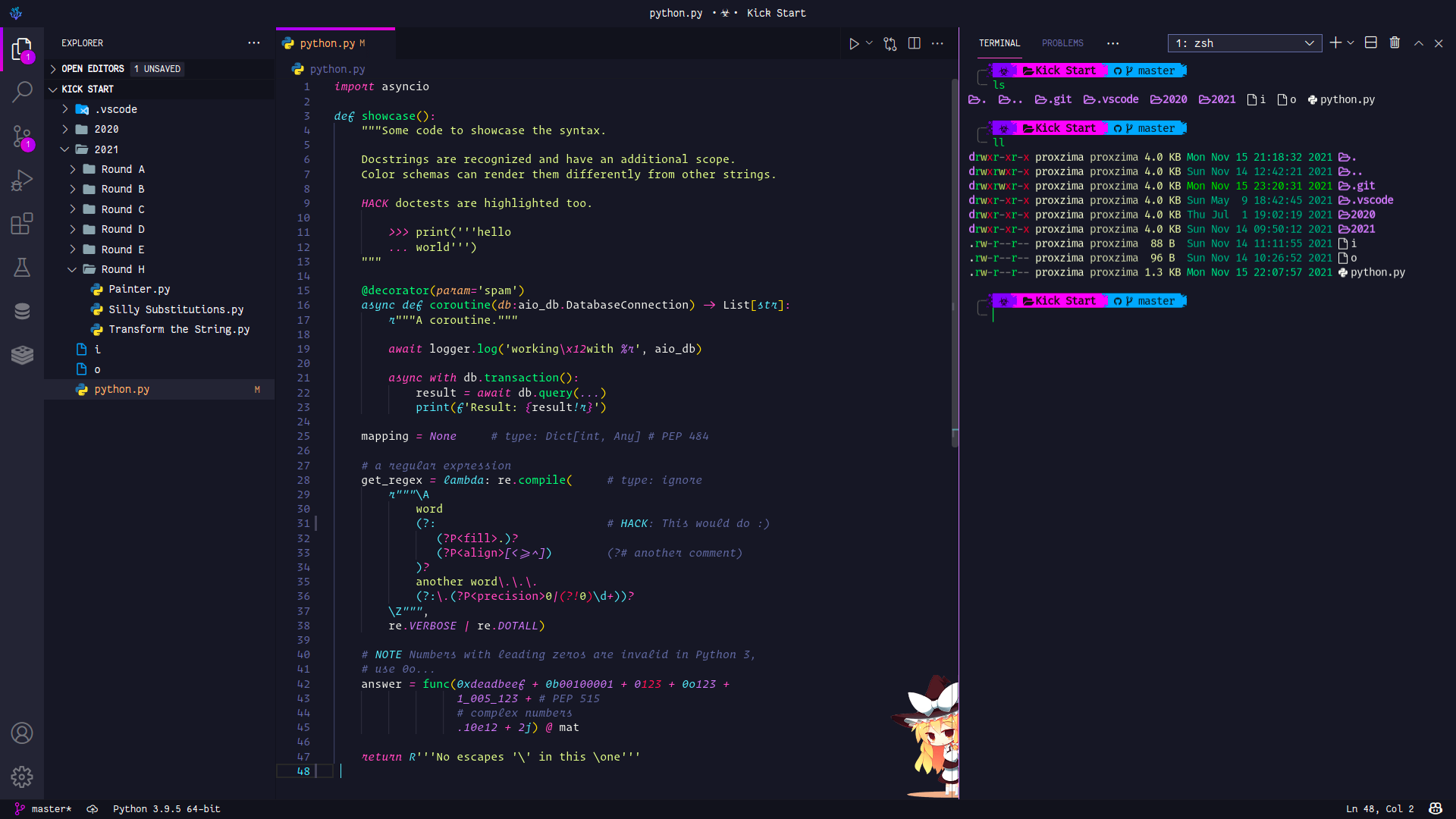
<h3 align="center"><b>VS Code</b></h3>
|
||
|
||
|
||
|
||
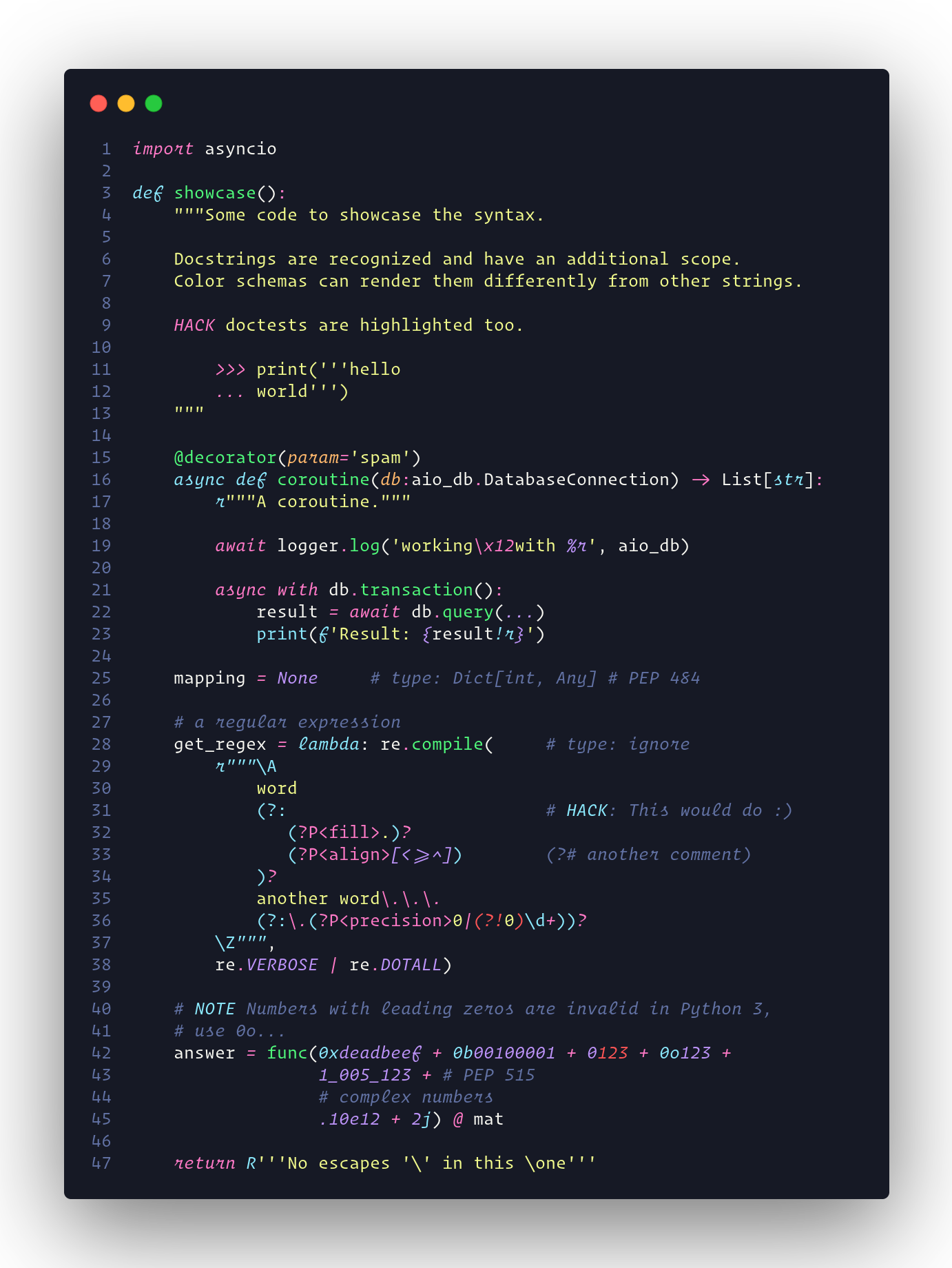
<h3 align="center"><b>Syntax Highlighting</b></h3>
|
||
|
||
|
||
|
||
---
|
||
|
||
## Install
|
||
|
||
1. Go to `View -> Command Palette` or press `⌘+shift+P`
|
||
2. Then enter `Install Extension`
|
||
3. Write `sweetdracula`
|
||
4. Select it or press Enter to install
|
||
|
||
---
|
||
|
||
## VSCode UI
|
||
|
||
Above screenshot contains modified VSCode UI. I tweaked it a bit to fit my taste. Complete installation in my [.dotfiles](https://github.com/PROxZIMA/.dotfiles#vscode)
|
||
|
||
---
|
||
|
||
## Recommended settings
|
||
|
||
- `"editor.renderLineHighlight": "gutter"`
|
||
- `"editor.occurrencesHighlight": false`
|
||
- `"editor.selectionHighlight": false`
|
||
|
||
---
|
||
|
||
## Contributing
|
||
|
||
If you'd like to contribute to this theme, please read the [contributing guidelines](https://github.com/PROxZIMA/sweet-dracula/blob/master/.github/CONTRIBUTING.md).
|
||
|
||
---
|
||
|
||
## License
|
||
|
||
[MIT License](https://github.com/PROxZIMA/sweet-dracula/blob/master/LICENSE)
|
||
|
||
---
|
||
|
||
### [Release Notes](https://github.com/PROxZIMA/sweet-dracula/blob/master/CHANGELOG.md)
|