
4.2 KiB
The Eternal Jukebox
For when your favorite song just isn't long enough.
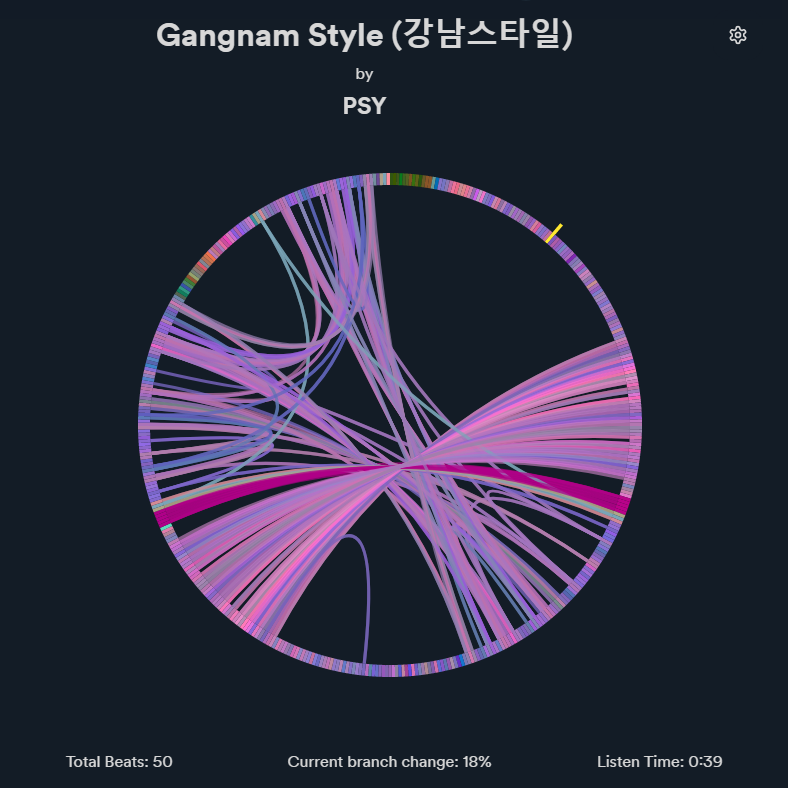
A rewrite of the Infinite / Eternal Jukebox for Spicetify.
It finds pathways through similar segments of the song and plays a never-ending and ever changing version of the song.
Warning
The custom app is still in beta.
See known issues and upcoming features.
Auto Installation (Linux)
sh <(curl -s https://raw.githubusercontent.com/Pithaya/spicetify-apps/main/custom-apps/eternal-jukebox/src/install.sh)
Manual Installation
- Run
spicetify config-dirto open the spicetify folder. - Go to the
CustomAppsfolder. - Create a
eternal-jukeboxfolder. - Download the custom app files as a zip from here.
- Extract the zip and put the files inside the folder you created in step 3.
Then, run the following commands:
spicetify config custom_apps eternal-jukebox
spicetify apply
Usage
A new "infinity" button allows you to enable and disable the jukebox. As long as the jukebox is enabled, the current song will play endlessly.

Changing the current song will automatically play it through the jukebox.

The custom app allows you to see a visualization of the jukebox's progress through the song.
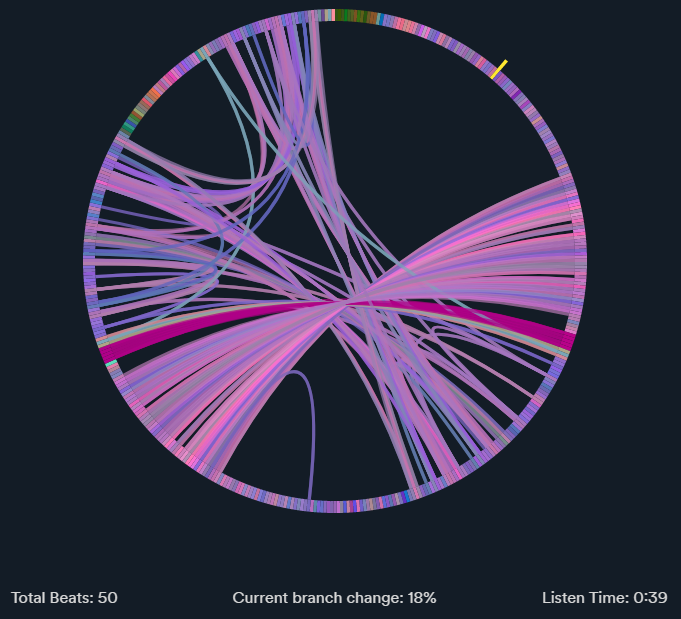
The circle is made out of the different beats of the song. Branches, or edges are the path linking similar beats together.
Holding the SHIFT key allows you to keep repeating a part of the song by "jumping" through edges linking the same beats.
Clicking on a beat will seek to that part of the song.
Below the graph you will find some stats about the current song:
- Total beats: How many beats were played.
- Current branch change: The current percentage of chance to follow an edge when playing a beat.
- Listen time: How long you've been listening to the song.
Settings
The settings button on the top right allows you to tune the jukebox.
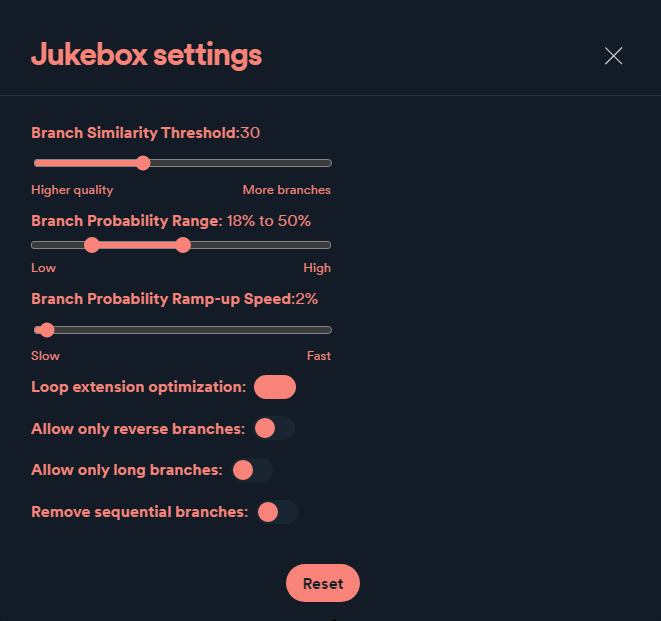
- Branch similarity threshold: The maximum allowed "distance" between two branches. The higher it is, the more branches will be generated.
- Branch probability range: The minimum and maximum percentage of chance to use a branch each beat. The chance will start at the minimum value, and will increase by the Branch probability ramp-up speed value for every beat where it is not branching, until it reaches the maximum value.
- Branch probability ramp-up speed: How fast the Branch probability chance value should increase.
- Loop extension optimization: If checked, will try to add the longest backward branch it can at the last branching beat.
- Allow only reverse branches: If checked, will only add branches going back in the song.
- Allow only long branches: If checked, will only add long branches. A branch is considered long if it covers at least a fifth of the song's length.
- Remove sequential branches: If checked, will remove consecutive branches of the same length.
The reset button can be used to reset the settings to the default values.
Known issues
- Audio lag when jumping between parts of the song
- Jukebox "freezing" and getting out of sync
- Songs getting stuck in short loops due to issues with the graph generation
Upcoming features
- More graph interactivity
Uninstall
- Run
spicetify config-dirto open the spicetify folder - Go to the
CustomAppsfolder - Delete the
eternal-jukeboxfolder
Then, run the following commands:
spicetify config custom_apps eternal-jukebox-
spicetify apply