
5.4 KiB
runner.nvim
A customizable Neovim plugin to run code inside the editor
Demo
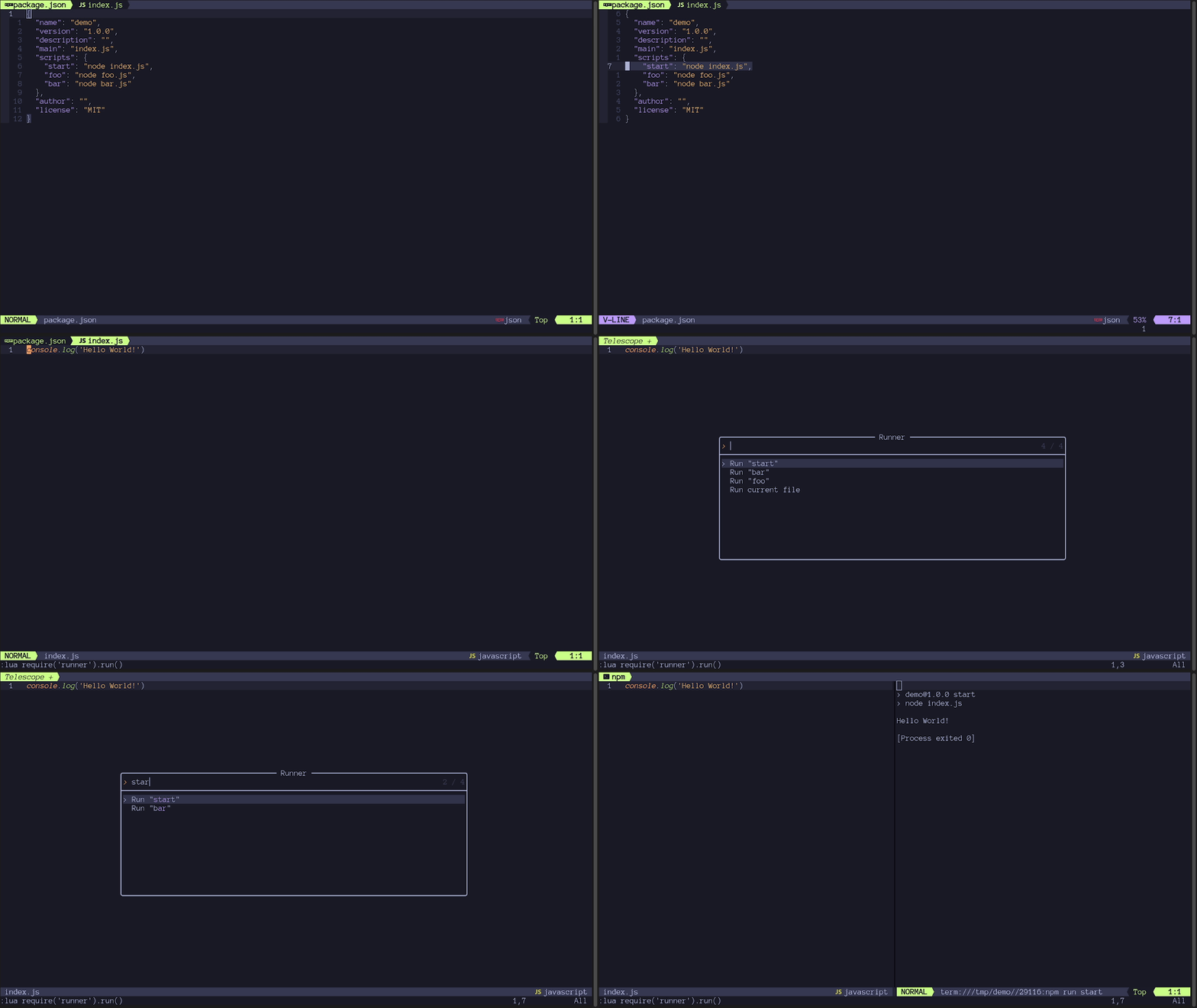
Table of Contents
Installation
Using packer.nvim:
return require('packer').startup(function(use)
  use {
    'MarcHamamji/runner.nvim',
    requires = {
      'nvim-telescope/telescope.nvim',
      requires = { 'nvim-lua/plenary.nvim' }
    },
    config = function()
      require('runner').setup()
    end
  }
end)
Using lazy.nvim:
require('lazy').setup({
  {
    'MarcHamamji/runner.nvim',
    dependencies = {
      'nvim-telescope/telescope.nvim',
      dependencies = { 'nvim-lua/plenary.nvim' }
    },
    config = function()
      require('runner').setup()
    end
  }
})
Usage
require('runner').run()

-- To set a mapping
vim.keymap.set('n', '<leader><space>', require('runner').run)
Configuration
setup(options)
Runner comes with the following defaults:
require('runner').setup({
  position = 'right', -- position of the terminal window when using the shell_handler
                      -- can be: top, left, right, bottom
                      -- will be overwritten when using the telescope mapping to open horizontally or vertically
  width = 80,         -- width of window when position is left or right
  height = 10,        -- height of window when position is top or bottom
})
set_handler(filetype, handler)
Default handlers can be found here.
| Argument name | Description | Type |
|---|---|---|
filetype |
The filetype on which to run the given handler | string |
handler |
The handler to run when the current file matches the filetype | function(code_buffer_number) |
Example:
require('runner').set_handler('lua', function(code_buffer_number)
  vim.print('Running lua file in buffer ' .. code_buffer_number)
end)
Note: This method overwrites the default handlers set for the specified filetype.
Helpers
This plugin exposes some helpers to make creating handlers easier. They're all available by importing them as follows:
local handler_name = require('runner.handlers.helpers').handler_name
Here is a description of each one:
-
shell_handler(command, editable)Runs a command in a shell by opening it in a new split window, with a terminal buffer.
The split window's position will be determined by the
positionvalue from the config. It will be overwritten when using the telescope mapping to open horizontally or vertically.select_horizontal(defaults to<C-X>): Opens the window at the bottom of the screen.select_vertical(defaults to<C-V>): Opens the window at the right of the screen.
Argument name Description Type commandThe shell command to run when the handler is called stringeditableWhether the user should be prompted to edit the command using vim.input()before running it. Useful when giving command line arguments to a scriptboolean(optional, defaults to false)Example:
local shell_handler = require('runner.handlers.helpers').shell_handler require('runner').set_handler('rust', shell_handler('cargo run', true)) -
command_handler(command)Runs a command in the Vim command mode.
Argument name Description Type commandThe Vim command to run when the handler is called stringExample:
local command_handler = require('runner.handlers.helpers').command_handler require('runner').set_handler('lua', command_handler('luafile %')) -
choice(handlers)Opens a
Telescopefinder to allow the user to choose which handler to run.Argument name Description Type handlersThe list of handlers to choose from tablewhere the keys are the name of the handlers in thetelescopefinder, and where the values are the actual handlersExample:
local choice = require('runner.handlers.helpers').choice
require('runner').set_handler('rust', choice({
  ['Run'] = helpers.shell_handler('cargo run'),
  ['Test'] = helpers.shell_handler('cargo test'),
  ['Custom'] = helpers.shell_handler('cargo ', true),
}))
Advanced handlers configurations
For creating dynamic handlers like one for each npm or cargo script, you can write your own handler function that generates the other handlers, gives them to the choice handler, and runs it itself.
See Node.js example.
Contribution
If you find that some handlers for a specific language are missing, feel free to open a pull request by adding them in the lua/runner/handlers/init.lua file.
Licensed under the MIT license.