 58c0089414
Now it uses realpath for registering and validating DB. This means, if you have entries that has filenames differing only for case, it can deal with them as they exist. Before this, it has miscalculated scores for such cases. For example, in case you have `/path/to/foo.lua` and `/path/to/Foo.lua`, it registers entries for each file. Now it detects accurate filename for the specified one, and removes it in validation. * test: separate logic for utils * fix!: register realpath for consistency * refactor: convert fs module from class * refactor: move db initialization phase to start() * fix: run database:start() truly asynchronously * fix: call each functions with async wrapping * refactor: add types for args in command * fix: run register() synchronously Because vim.api.nvim_* cannot be used in asynchronous functions. * docs: add note for calling setup() twice * fix: run non-fast logic on next tick |
||
|---|---|---|
| .github/workflows | ||
| doc | ||
| lua | ||
| .gitignore | ||
| .luarc.json | ||
| .stylua.toml | ||
| cspell.json | ||
| LICENSE | ||
| README.md | ||
telescope-frecency.nvim
A telescope.nvim extension that offers intelligent prioritization when selecting files from your editing history.
Using an implementation of Mozilla's Frecency algorithm (used in Firefox's address bar), files edited frecently are given higher precedence in the list index.
As the extension learns your editing habits over time, the sorting of the list is dynamically altered to prioritize the files you're likely to need.
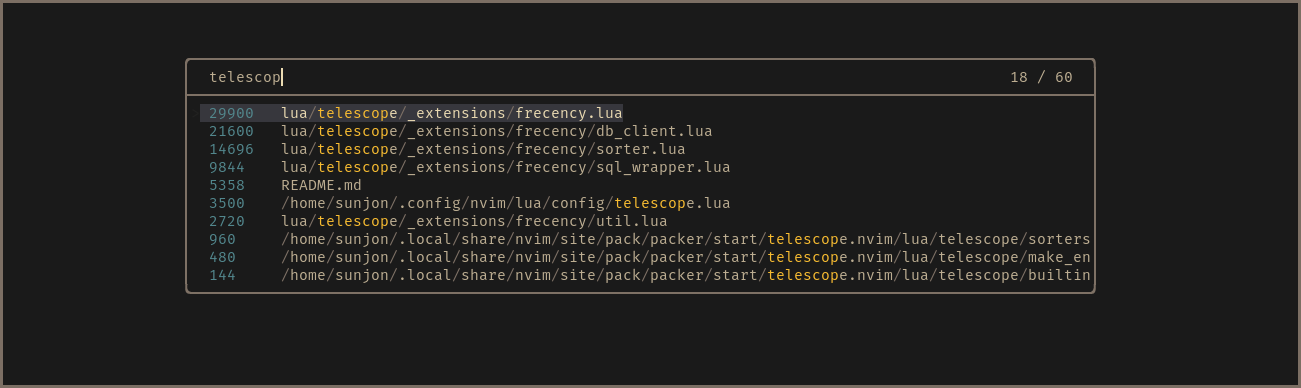
- Scores shown in finder for demonstration purposes - disabled by default
What about files that are neither ‘frequent’ or ‘recent’ ?
Frecency naturally works best for indexed files that have been given a reasonably high score.
New projects or rarely used files with generic names either don't get listed at all or can be buried under results with a higher score.
Frecency tackles this with Workspace Filters:
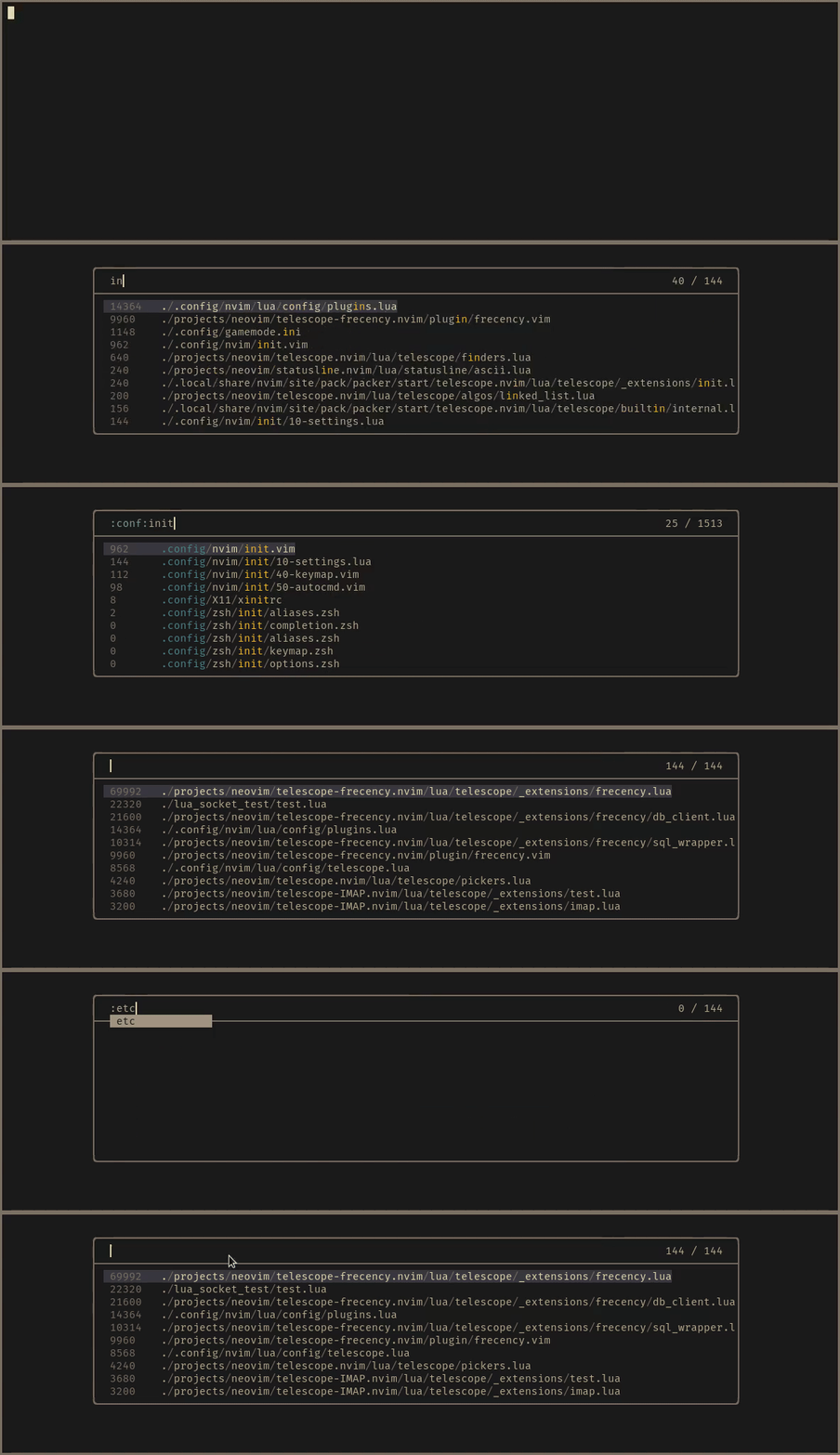
The workspace filter feature enables you to select from user defined filter
tags that map to a directory or collection of directories. Filters are applied
by entering :workspace_tag: anywhere in the query. Filter name completion is
available by pressing <Tab> after the first : character.
When a filter is applied, results are reduced to entries whose path is a descendant of the workspace directory. The indexed results are optionally augmented with a listing of all files found in a recursive search of the workspace directory. Non-indexed files are given a score of zero and appear below the 'frecent' entries. When a non-indexed file is opened, it gains a score value and is available in future 'frecent' search results.
If the active buffer (prior to the finder being launched) is attached to an LSP
server, an automatic LSP tag is available, which maps to the workspace
directories provided by the language server.
Requirements
- telescope.nvim (required)
- nvim-web-devicons (optional)
- fd or ripgrep (optional)
NOTE: fd or ripgrep will be used to list up workspace files. They are
extremely faster than the native Lua logic. If you don't have them, it
fallbacks to Lua code automatically.
Installation
This is an example for Lazy.nvim.
{
  "nvim-telescope/telescope-frecency.nvim",
  config = function()
    require("telescope").load_extension "frecency"
  end,
}
See :h telescope-frecency-configuration to know about further configurations.
Usage
:Telescope frecency
" Use a specific workspace tag:
:Telescope frecency workspace=CWD
" You can use with telescope's options
:Telescope frecency workspace=CWD path_display={"shorten"} theme=ivy
Filter tags are applied by typing the :tag: name (adding surrounding colons)
in the finder query. Entering :<Tab> will trigger omni completion for
available tags.