# VSCode Faker
Generate fake data inside Visual Studio Code. Fake data is based on [Faker](https://github.com/faker-js/faker).
Fake data you can generate:
- address
- animal
- commerce
- company
- database
- datatype
- date
- finance
- git
- hacker
- image
- internet
- lorem
- mersenne
- music
- name
- phone
- random
- system
- vehicle
## Installation
Type cmd+shift+p to launch command palette and choose `Extensions: Install Extension`. Search **faker** and install.
## Usage
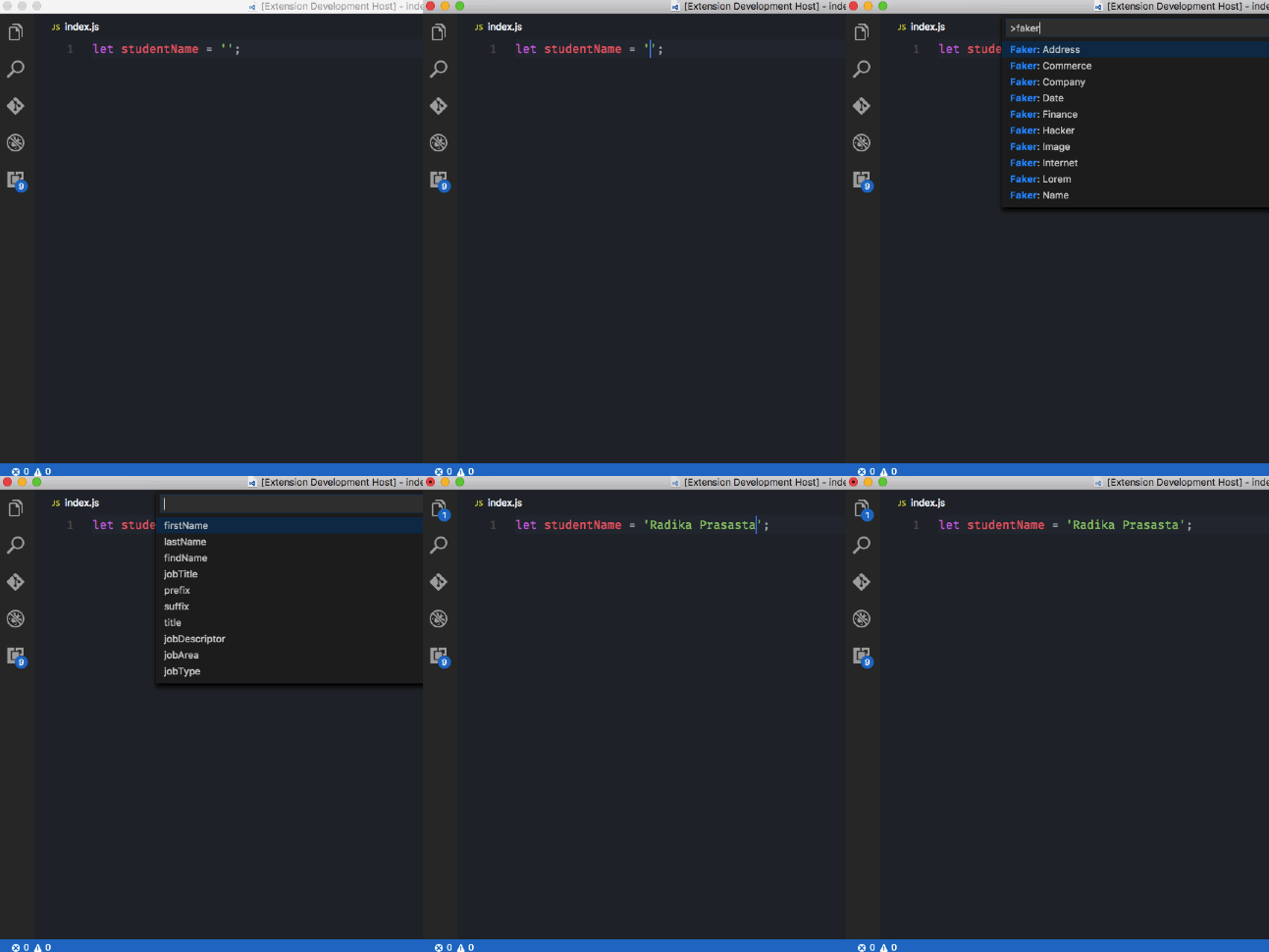
1. Type cmd+shift+p
2. Choose fake data category
3. Choose sub category
## Change Locale
1. Open User Settings or press cmd+,
2. Insert `faker.locale`, followed by locale identifer as following
```json
"faker.locale": "id_ID"
```
See [Supported locales](https://fakerjs.dev/api/localization.html#localization)
## License
MIT © [Budi Irawan](https://budiirawan.com)